
Overview
Store owners with actual physical stores are able to observe and interact with their customers. This is useful to gauge interest in the products on view, and to gauge the reaction to the ticket prices. But in the online world, that customer connection is largely broken.

Pricing Analyser restores this connection, by monitoring activity within the store, product by product. Activity includes daily sales, customer interest and pricing history. It then generates pricing recommendations based on these metrics, with one-click apply. It means WooCommerce store owners are able to make smarter pricing decisions based on real performance data.
Pricing Analyser brings together the key signals that influence pricing decisions into one workflow. It helps merchants spot products that may be underpriced, overpriced, attracting interest without converting, slowing down, trending upwards, or drifting too close to floor or ceiling prices.
What Pricing Analyser does
Pricing Analyser gives you a central dashboard where you can review product pricing performance across your store. For each product, you can see sales, customer interest, conversion rate, trending, price history, current price, recommendations and suggested new price.
You can create pricing rules based on the signals that matter most to your business. For example, you might choose to raise the price of products with unusually strong recent sales, reduce the price of products with weak conversion, or create a sale for products with excess stock.
The extension also includes tools for working at scale. Bulk utilities allow you to adjust prices, sales, floors and ceilings across multiple products at once, while daily briefing emails help to keep you informed about key developments within the store.
If you operate a price rounding style across a category of products, Price Analyser can help you implement and maintain it. So for example if you want to raise your prices across the board by 5%, but you also like your lower value product prices to be rounded down to .95c, and your higher value products rounded to the nearest whole dollar, or five dollars, Pricing Analyser can help you do that, saving you a great deal of time.
What Pricing Analyser is not
Pricing Analyser is not a dynamic pricing engine, a customer-specific pricing tool (customer loyalty etc.), or a competitor price import tool. It is designed for general pricing management: helping store owners review what is happening across their catalogue, decide what action to take, if any, and apply those changes efficiently inside WooCommerce.
Core parts of the extension
Pricing Analyser is organised around five main areas:
Product analytics
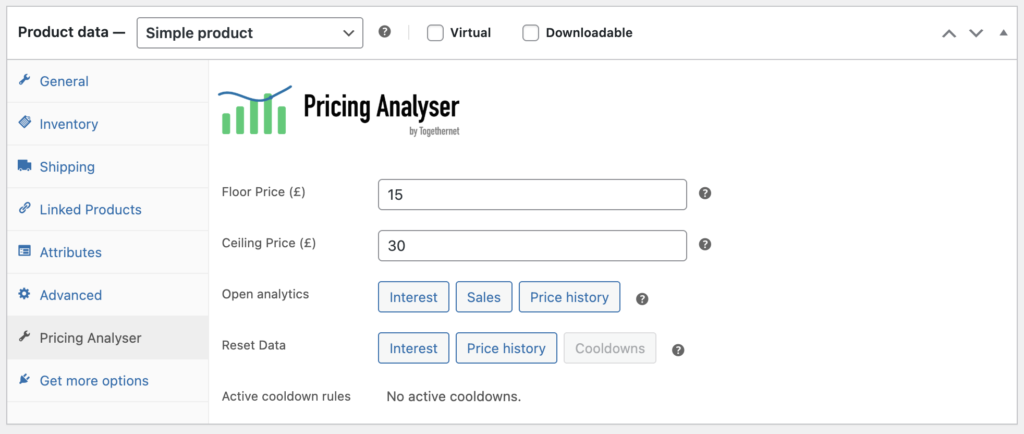
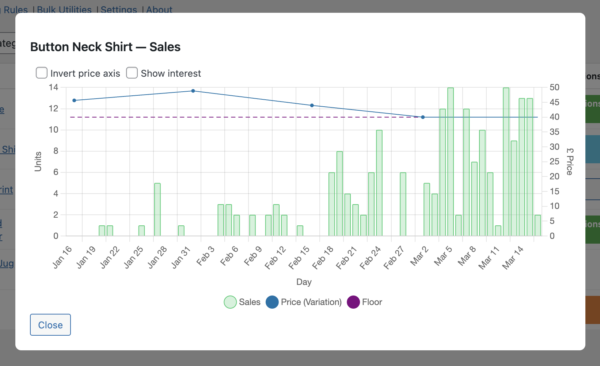
On the product edit screen, Pricing Analyser adds its own panel where you can view pricing analytics: price history, sales and interest charts, and manage product-level floor and ceiling prices.
Dashboard
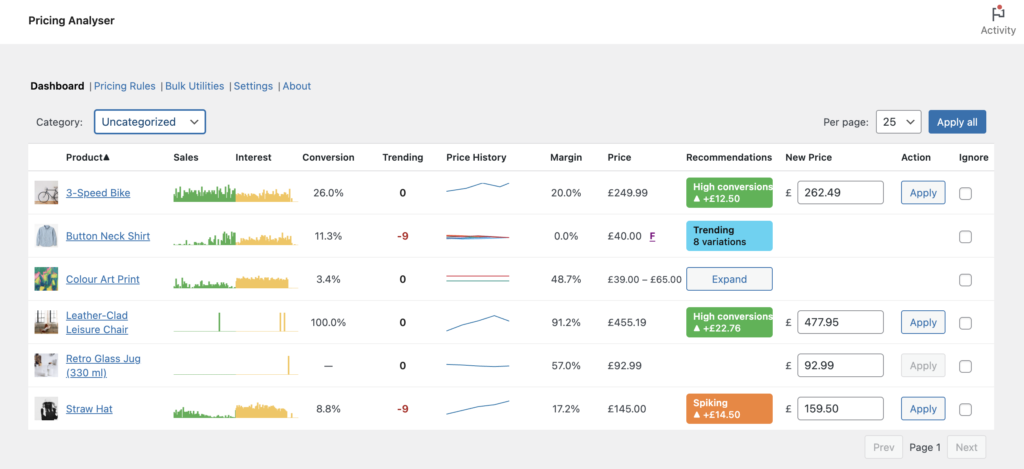
The main dashboard brings together the key metrics for each product and displays any matching pricing recommendations in one place.
Pricing rules
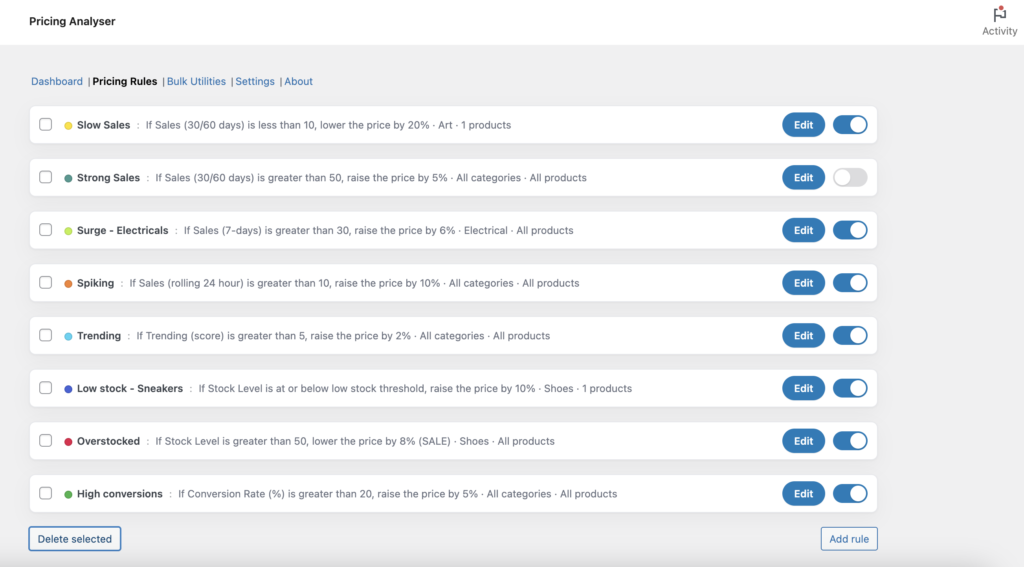
Rules let you define when a product should be considered for a price rise, reduction or sale, based on product performance data, driven by a set of signals. These rules are not fixed – you know your products best and what’s right. Example: selling ten of a given product in the last 24 hours may be a triumph or a disaster, or just a normal day, depending on your sales expectations. Pricing Analyser helps you to create sensible pricing rules you can apply to a single product, across a category or across your entire range.
Bulk utilities
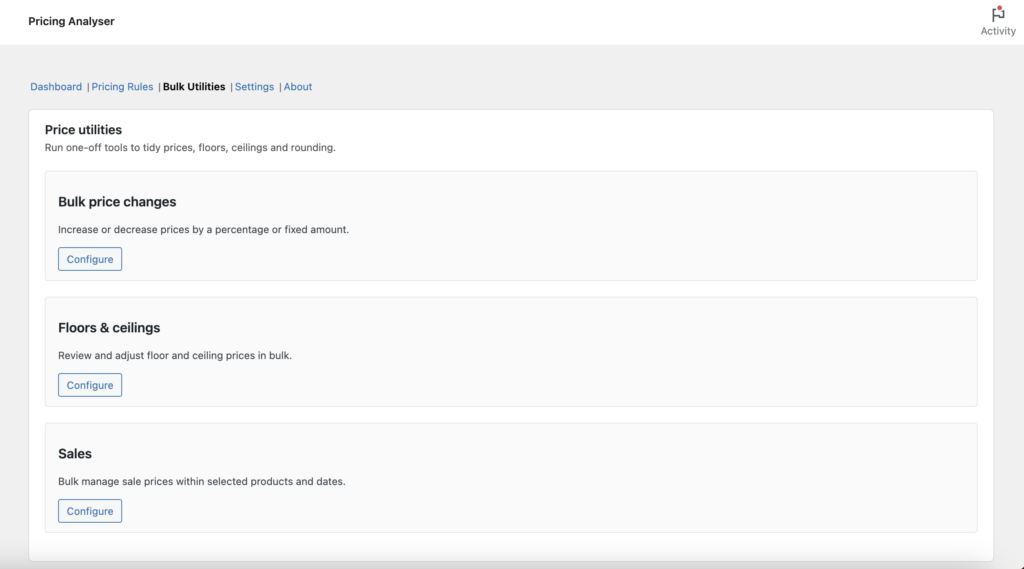
Bulk tools help you make broader pricing changes efficiently across multiple products.
Daily briefing
The daily briefing email provides a concise overnight summary of the last completed day’s store activity and flags notable pricing opportunities. You can set it to be the first thing delivered to your inbox; your heads-up for the day.
How it fits into your workflow
A typical workflow with Pricing Analyser looks like this:
- Configure your store-wide pricing settings, such as boundaries, rounding and briefing options.
- Create a small set of pricing rules based on the signals you care about.
- Review the dashboard regularly to see which products match those rules.
- Inspect the supporting charts and signals before applying changes.
- Apply pricing updates individually or in bulk.
- Use the daily briefing to keep track of notable changes and opportunities.
Next step
See the Installation guide to get Pricing Analyser set up and ready to use.